What I look for in product managers now
I hire and mentor product managers. The job has changed in the past 6-12 months. Here are some starter projects to learn the new skills I look for.
What it means to be a product manager has changed in the past 6-12 months.
Some folks I know are having the most fun they’ve had in years, others are looking for their next role and uncertain what the job of product management even means anymore.
Consider this post an open letter to product managers looking for their next role on what to expect for ways of working and core skills they should be ready to bring to a new role.
I’m writing this as someone who hires and mentors product managers, so this comes from my experience and perspective. This is my opinion and not the official position of my employer (Manychat) so do with this information what you will.
The overarching theme is more time spent on learning, shipping and interacting with customers, and less time spent on copying and pasting information between tools.
I believe good PMs remain responsible for figuring out what to build, who to build it for and why to build it. It’s how we get to those decisions and how we communicate those decisions, where the major shift in working has occurred.
Prototypes
You should know how to design, build, host and deploy interactive prototypes.
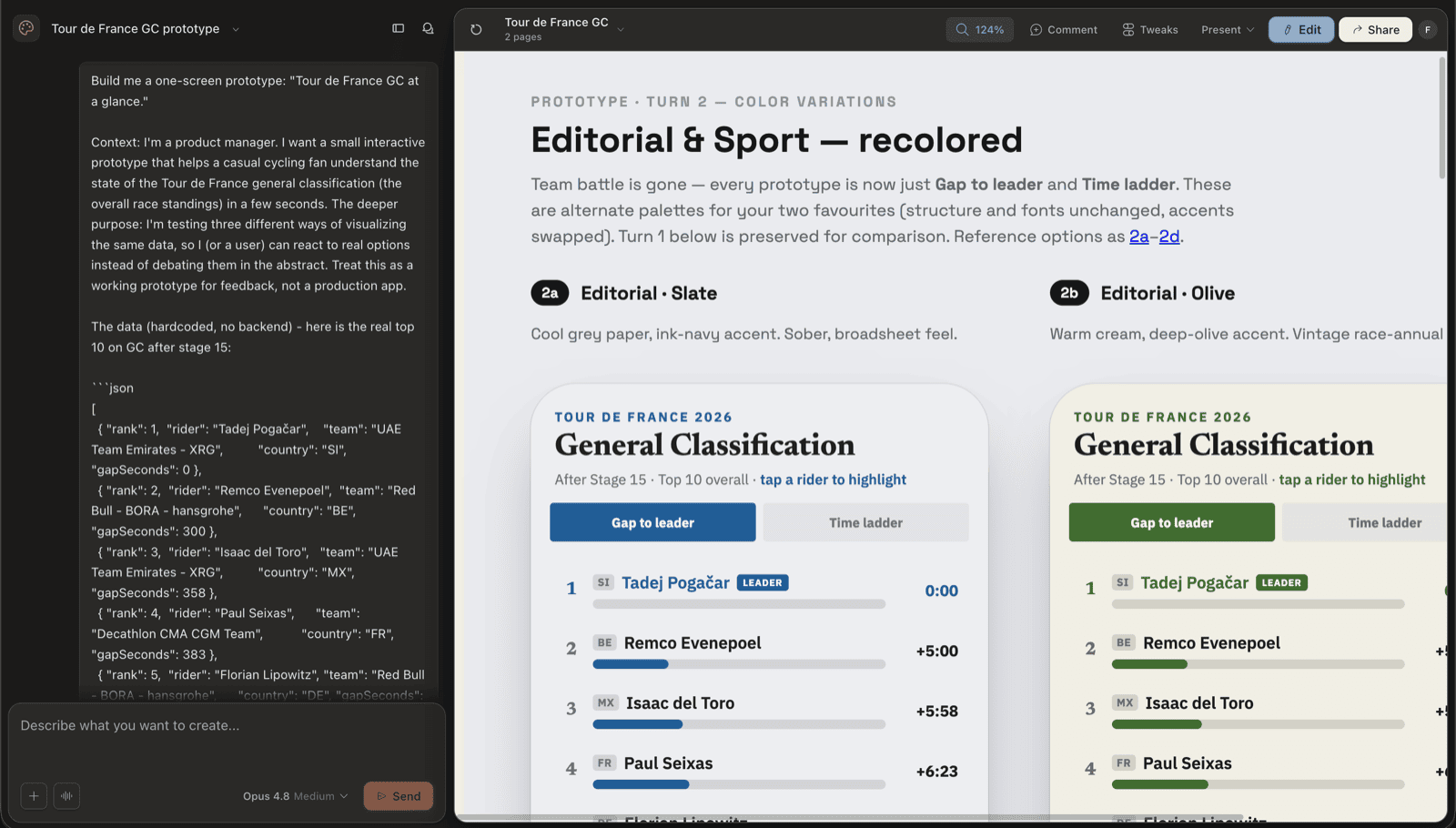 Using Claude Design to create a prototype’s appearance
You can build prototypes with mock data and also use “real data” to seed prototypes and make them more realistic. You might seed the data from a Google Sheet, a database, hardcoded JSON, etc.
We use prototypes to gain valuable insights from our users on utility and usability before committing actual code.
If you are exploring an idea about how to build a net new capability, it’s a lot cheaper to learn from a prototype that the UI and workflow you might potentially introduce is way off the mark. You can also pull in front-end design systems into prototypes now, thus making the prototypes feel that much more “real” for user tests.
To build prototypes, I often start in Claude Design to figure out the look, feel and function and then hand off to Claude Code for planning and building the actual prototype. Both Netlify and Vercel are great for hosting and deploying prototypes so end users can interact with them.
Here is a walkthrough video on how to use Claude Design and Claude Code to create an interactive prototype. You can click around the live prototype yourself, and use the repo as a reference to make your own.
GitHub presence and fluency
Please take the time to learn the basics of Git and GitHub!
The teams I’m a part of now use GitHub to organize all information related to the work of building products. Product managers and designers open up branches, create pull requests (PRs), and write commits.
We keep a repository for our prototypes, research, decisions, and other key pieces of information. Our product managers also have read access to the repositories of code for what we’re building so they can use the context of the real code and API endpoints when building prototypes.
We use Notion for cross-functional collaboration but sources of truth get reconciled back into GitHub.
I check the GitHub profiles for all product people we add to the team. If you say you are a builder and have no commits in the past 12 months on GitHub, that’s a yellow flag.
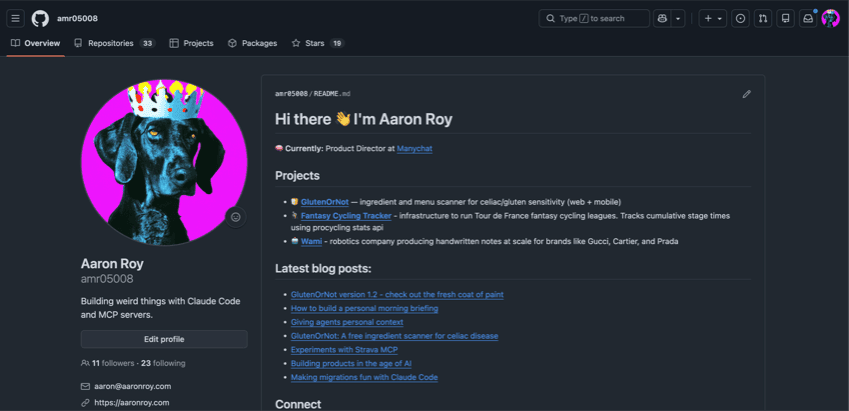 My personal GitHub profile
You can pick up experience by moving things you already do into GitHub. Here is a quick tutorial how to set up a note taking project in GitHub using a private repository.
Another great starter project is building yourself a personal morning briefing. You’ll get some good experience with GitHub and you’ll have a morning briefing that delivers you the information you care about without you proactively having to go seek it out.
MCPs, APIs and Connectors
Where we do work has also shifted. I don’t use the web user interfaces (“UIs”) for most products during my day to day work. Instead I get what I need from the tools I use via MCPs, APIs and Connectors.
I start my workdays with a morning briefing delivered to me in Slack that brings together what emails need my attention (from the Google Workspace connector), what issues were completed or might need my attention in Linear (from their MCP), and what needs my attention on Slack (from the Slack connector).
For GlutenOrNot, I use PostHog for in-product analytics and Sentry for error monitoring. Instead of spending time learning their UIs, I used their MCPs to set up dashboards, create routine reminders (i.e. creating a Claude Routine to trigger a report every Monday morning on in-product usage from PostHog for the last 7 days, delivered to me via a Discord webhook) and enrich other actions I’m taking in LLMs with the info from these MCPs.
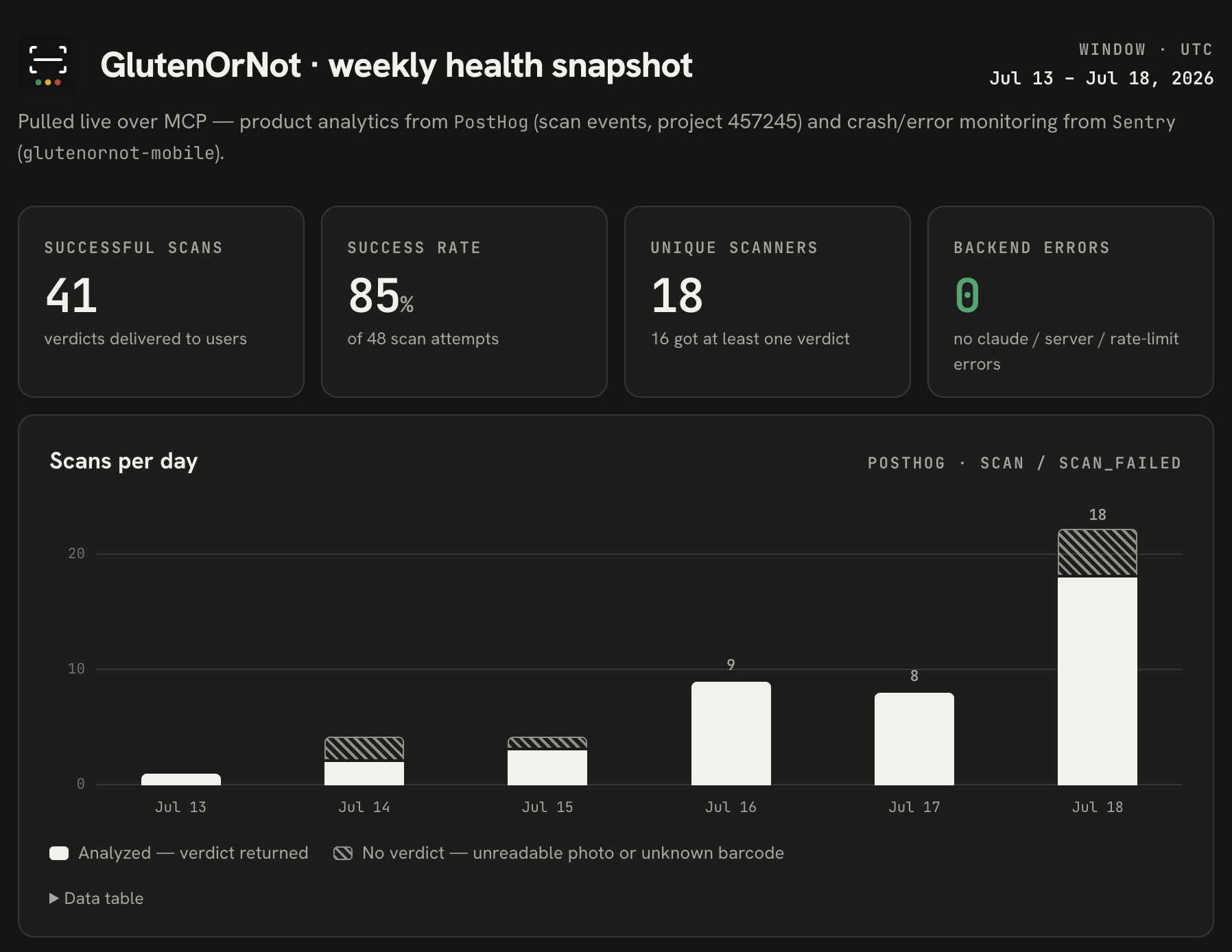 GlutenOrNot’s weekly health snapshot combining PostHog and Sentry data
To gain experience here, think of a product you enjoy using and find out if they have an MCP or API you can experiment with. As I was gaining experience working with MCPs, I experimented with a Strava MCP and wrote up my experience to help clarify what I learned.
I also encourage you to build a project that you can interact with via MCP so you become familiar with how these concepts work. I created this personal context MCP so I stopped having to educate each repo on my identity, expertise and preferences. Building it taught me a ton about how MCPs work and how they can be chained with other tools to improve how I get things done.
”Skills” are an essential skill
Identifying and removing friction from repetitive tasks is now an important part of the product manager role. Understanding and building “skills” to improve repetitive workflows will change the way you do work for the better.
Take conducting user interviews.
The old way of work would require PMs to do a lot of parsing these various inputs, copying and pasting choice observations, maybe clipping some videos, then coordinating sharing findings across channels and stakeholders. This might take a PM hours to do properly and then end up sitting in a Slack thread, never to be found again.
Today, a PM who knows how to use MCPs and skills can have a skill that can handle ingesting multiple input sources (i.e. Dovetail links, Granola or Notion notes, Zoom transcripts, Slack threads), assemble the inputs into a tidy package, cross reference it against other customer calls and pull out top patterns for further analysis, with the whole shebang reconciled back into GitHub for reference by future prototypes and queries.
The upfront effort in building the skill may take you ~60 minutes but the effort to rerun the skill against each future call is negligible and results in a compounding bank of insights and knowledge to bounce ideas against.
I often use Slack’s “save for later” feature to mark items I want to come back to for handling or redistributing back out. I built a skill, slack-later-triage, that can look at what I have saved for later, enrich the messages by pulling information from the Slack MCP and then recommending to me what I should handle, in what priority, and what I should delegate or pass on to someone else.
To improve your knowledge of building skills, read this: “The Complete Guide to Building Skills”
Closing thoughts
It’s totally okay if you don’t know how to do some of these items today. You absolutely can learn them and be up to speed in no-time if you start exploring and experimenting.
The whole point of this post is to call out what you might not be aware of so you can gain that experience. We are all still figuring out how to adjust to this rapidly changing world.
If you are starting out, begin with building the note-taking repo first and then create an interactive prototype.
If you want to share your progress, wins/losses and learnings with someone else, feel free to email me.