GlutenOrNot: A free ingredient scanner for celiac disease
I recently was diagnosed with celiac disease. With this diagnosis comes a whole lot of questions about what ingredients are safe, not safe, or questionable to consume if you want to avoid getting sick.
I started by taking photos of every item in my fridge and asking Claude if it was safe to eat. That worked so well that I decided to build GlutenOrNot, a simple web and mobile app so anyone can scan ingredients without knowing how to prompt an LLM.
I was shocked to see most existing apps either just scan barcodes or charge subscription fees for what amounts to a simple lookup. That felt wrong.
For GlutenOrNot, I partnered with Aaron Batchelder as a collaborator. He also has a gluten sensitivity, and he’s a much better mobile product person than me and I wanted his expertise to make sure we got both a web and mobile app in place.
What GlutenOrNot Does
The concept is simple: take a photo of an ingredient label, get a verdict in seconds.
Three possible outcomes:
- Safe (green): No gluten-containing ingredients detected
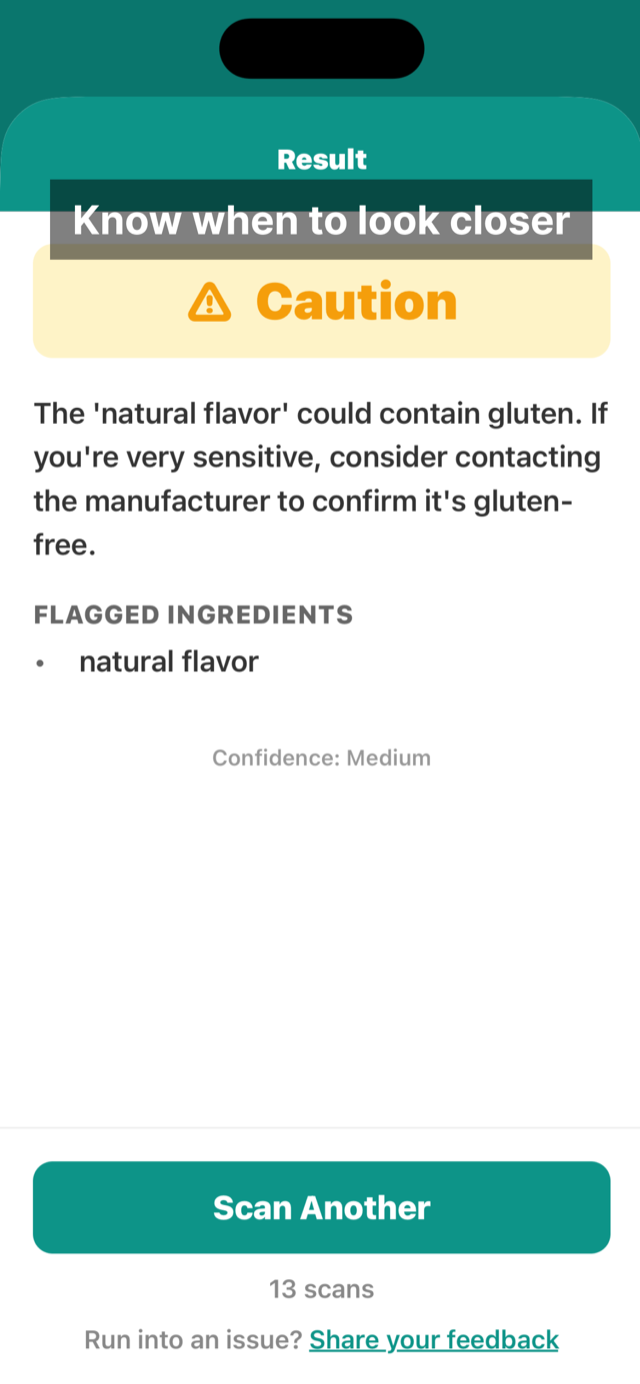
- Caution (yellow): Ambiguous ingredients that warrant a closer look
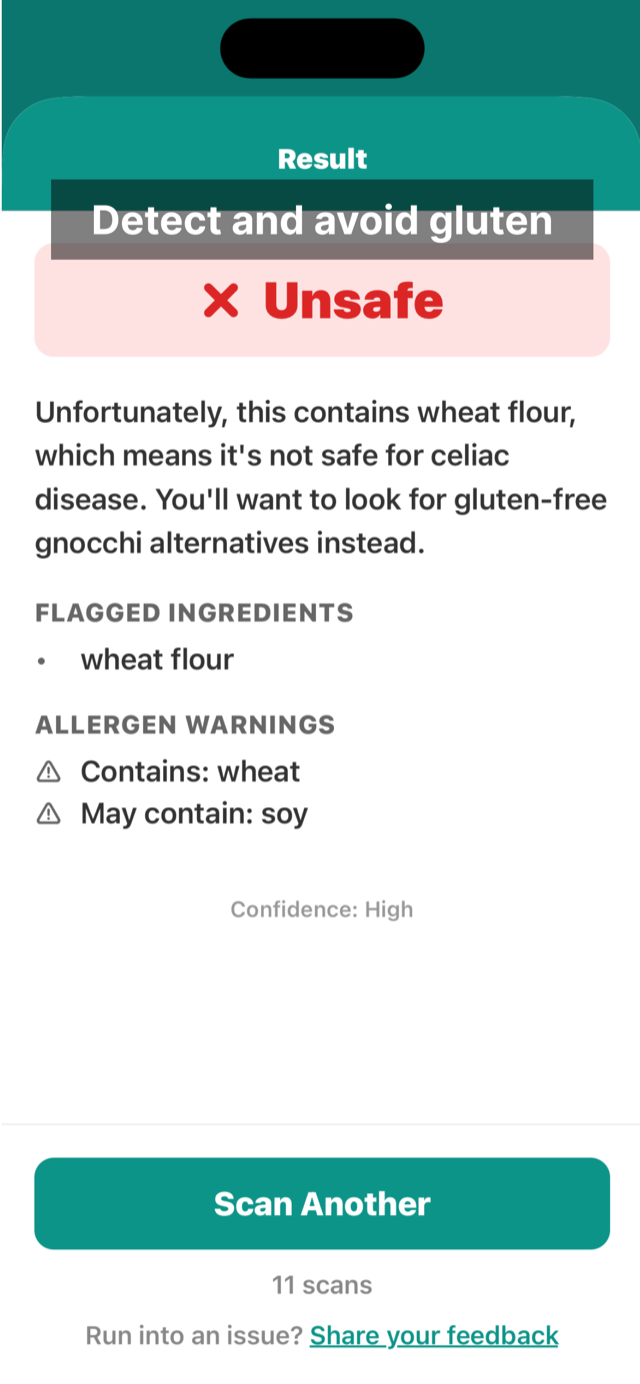
- Unsafe (red): Contains wheat, barley, rye, or derivatives
How It Actually Works
The architecture is intentionally straightforward: two specialized tools in sequence.
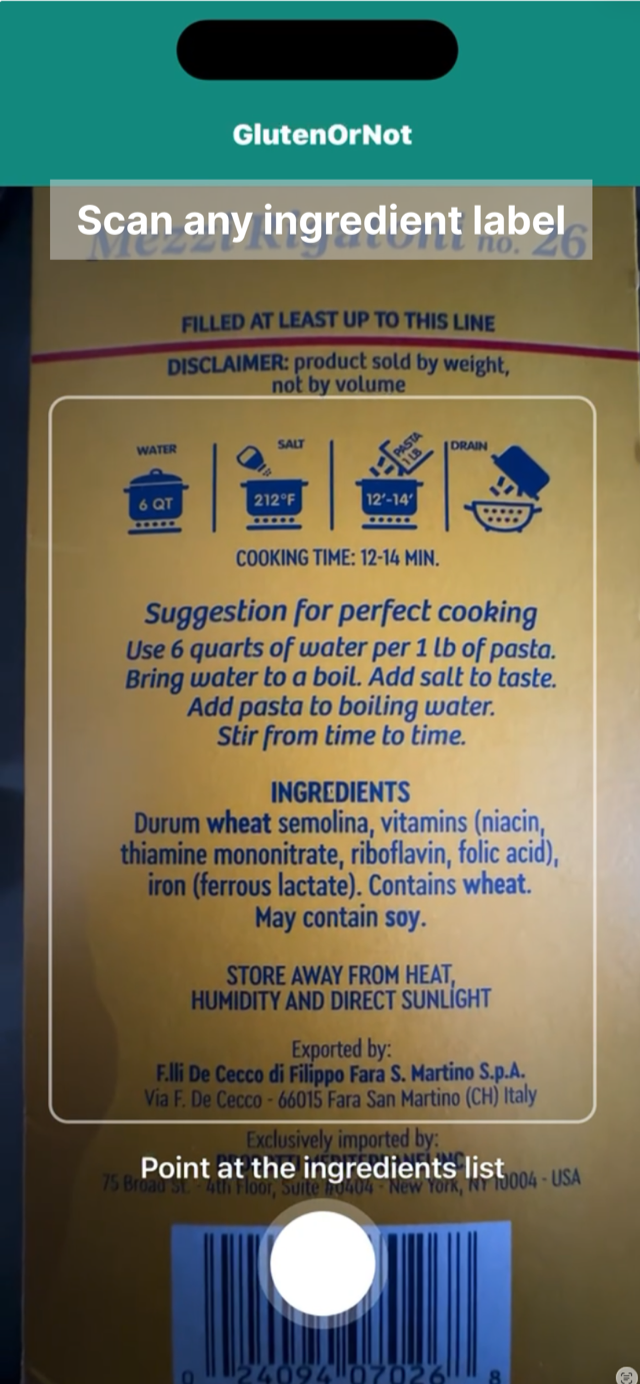
Photo → Google Cloud Vision (OCR) → Claude AI (reasoning) → VerdictStep 1: OCR
When you snap a photo, it goes to Google Cloud Vision for text extraction. Google’s API handles tilted labels, weird fonts, and low light conditions better than anything I could build.
Step 2: Analysis
The extracted text goes to Claude (specifically Claude Sonnet) with a prompt that encodes real celiac disease knowledge. This is where the actual product logic lives.
The Prompt Is the Product
Here’s what makes this work: the prompt isn’t just “tell me if this has gluten.” It encodes nuanced rules that someone with celiac disease would know:
The Oats Rule:
Flag ALL oats as "caution" even if the product claims to be gluten-free.Oats require third-party certification (like GFCO logo) to be considered safe—manufacturer "gluten-free" labels alone are not sufficient due tocross-contamination risks.This is real celiac knowledge. Most people don’t know that oats labeled “gluten-free” might still be contaminated because they’re often processed on shared equipment with wheat. Only third-party certification (like the GFCO logo) gives real assurance.
Hidden Gluten:
The prompt knows about soy sauce (typically contains wheat), malt vinegar (from barley), and the dreaded “natural flavors” that could contain anything.
Tone Engineering:
We spent iterations getting the explanation tone right. Early versions were clinical: “This product is contraindicated for celiac patients.” Now it says: “Good news! This product contains no gluten ingredients…” or “This contains oats, which aren’t certified gluten-free. You may want to check with the manufacturer.”
Conservative by Design
When the system is uncertain, it says “caution” never “safe.” False positives (flagging something that’s actually fine) are annoying but harmless. False negatives (saying something is safe when it isn’t) can make someone sick.
This philosophy extends to error handling:
// Any parse failure → caution verdict (never panic to unsafe)if (!result.verdict || !['safe', 'caution', 'unsafe'].includes(result.verdict)) { return { verdict: 'caution', confidence: 'low', ... };}We don’t want technical glitches scaring people away from safe food.
Why Both Web and Native?
We built both a web app (PWA) and a react native iOS app that share the same backend.
I wanted a web app because it works on all devices and I like screenshotting ingredients from online grocery shopping and dragging/dropping them right into the web app. The iOS app exists for discoverability (people search the App Store for “gluten scanner”) and speed (tapping an app icon beats finding a bookmark).
Both hit the same API, return the same verdicts. There’s no analytics, no user accounts, no way for us to know what you’re scanning.
The entire mobile app is about 680 lines of code. We resisted adding features: no scan history (yet), no favorites, no social sharing. Just the core loop: photo → verdict.
Why It’s Free
These are the actual costs powering this project:
- Google Cloud Vision: ~$1.50 per 1,000 requests
- Claude API: ~$0.03 per request (the bulk of the cost)
That’s roughly half a cent per scan ($0.005). The 50-scan daily rate limit per user keeps abuse in check without affecting normal usage, even heavy users rarely scan more than 10 items in a day.
At these costs, we can afford to keep it free indefinitely. This is a side project that costs us less than a coffee per month in real usage.
The principle: health tools shouldn’t have paywalls for basic functionality. If you need to know whether something has gluten, that information should be free.
Notes on pair vibe coding
This was a two-person project, which meant figuring out how to collaborate when both of us are building with AI.
Both Aaron and I are product people by trade. We’ve both played roles in building all sorts of products over the years, but neither of us would call ourselves “engineers”. Thankfully Claude Code was there to help both of us turn our ideas into reality.
What worked:
- Clear ownership. I owned the prompt engineering and AI logic, Aaron handled the mobile apps.
- Shared principles. We both wanted this project to be free for end users and to collect as little data as possible. I wanted my dad (who also has celiac disease) to be able to use this without having to sign up for an account or deal with forgetting his password when he wants to scan something at the grocery store.
- Async iteration. No meetings, just trying things and sharing what worked.
What we learned:
- It’s fun to partner on a project. The shared accountability on this project helped push it to the finish line. From concept to app store submission was less than a week. We were able to use one another’s progress as motivation to keep knocking items off the to do list and have it ready for sharing with a wider audience.
- Mobile development is still cumbersome. We ran into all sorts of issues trying to test between different Expo Go accounts. Aaron set up the project in Expo, but I couldn’t create TestFlight builds from my account despite being added as admin. We ended up building directly in Xcode instead.
What’s Next
The app works. It’s in the App Store. Here’s what might come next:
- Scan history: See your recent scans (stored locally, no account needed)
- Barcode scanning: Faster lookup for packaged products with a product database
- Android release: Same app, different platform
For now, though, the goal is to keep it simple and see if it helps people.
Give it a try at glutenornot.com, check out the source code, or download the iOS app.
If you run into any issues, send us feedback.