How to build a personal morning briefing
Teaching is one of my favorite ways to explore the depths of a topic I enjoy or am actively digging into.
One of the many idealized paths I could imagine for a later version of myself is becoming a professor, filling my days with teaching and exploring topics with a new generation of students.
Thus I gladly jumped at the invitation to design and deliver a hands-on, in-person workshop for Manychat, teaching folks from all corners of the company “How to build a personal morning briefing” using “Scheduled Tasks” in Claude Cowork.
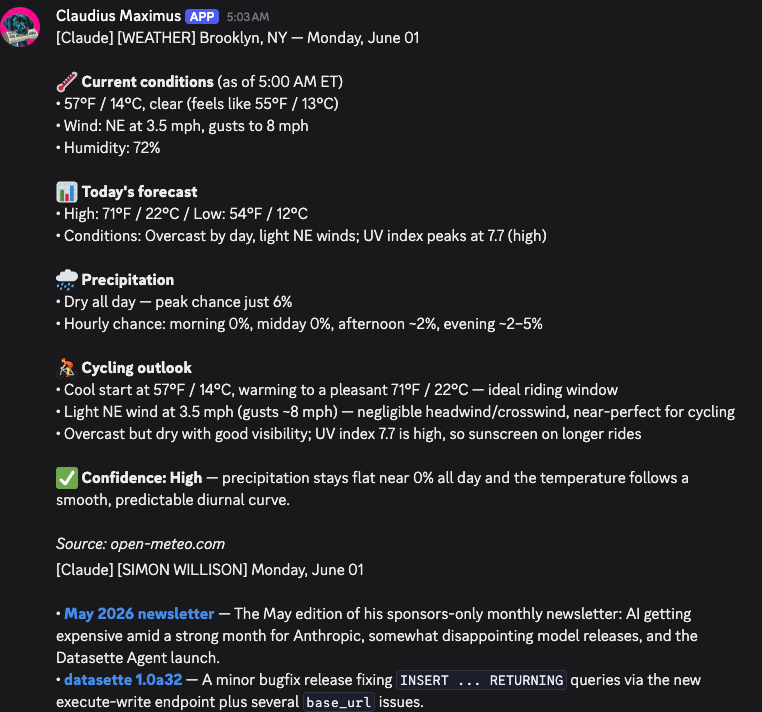
My daily briefing is a Claude Code routine that delivers local weather with a cyclist slant (i.e. wind conditions) and layers in my favorite RSS feeds so I can easily see new content from some of my favorite authors.
The Workshop
To bring the personalized elements of teaching to life, I had six incredible TAs join me in giving 1:1 help to participants who had questions or needed assistance working through the exercises.
Each participant started by creating a scheduled weather brief, in whatever tone, voice, or style they wanted (Exercise 1) and then layered on connectors such as Slack (Exercise 2) to bring whatever they deemed important into their briefing.
The goal for the workshop was for each person to get comfortable practicing the pattern of prompt > sources > schedule > delivery.
Below are the starter prompts I gave participants to kickstart each exercise:
Exercise 1 Starter Prompt
You are my morning brief assistant. Today's date is {{today}}.
1. Look up the weather in CITY for today. Include the high, low, chance of rain, and anything notable (wind, air quality, first snow, etc.).
2. Write a morning brief in TONE. Length: LENGTH.
3. End with one specific actionable line — e.g., "bring a jacket," "leave 5 min early for the rain," "perfect day, don't waste it inside."
Output the brief and nothing else. No preamble, no "here's your brief", no sign-off. Just the brief itself.
Exercise 2 Starter Prompt
You are my morning brief assistant. Today's date is {{today}}.
**Section 1 — Weather**Look up the weather in CITY for today. Include high, low, chance of rain, anything notable.
**Section 2 — Slack**Read the last 24 hours of messages in SLACK_CHANNEL. Summarize WHAT_MATTERS_TO_ME. Skip social chatter and reactions. If nothing important happened, say so in one line — don't pad.
**Output format:**
☀️ Weather<one short line>
💬 SLACK_CHANNEL (last 24h)<2-4 bullets, only what matters>
👉 Today<one line: the single most important thing to know going into today>
Use TONE for the writing voice throughout. No preamble. No "here's your brief." Just the brief.
Claude Cowork Scheduled Tasks vs. Claude Code Routines
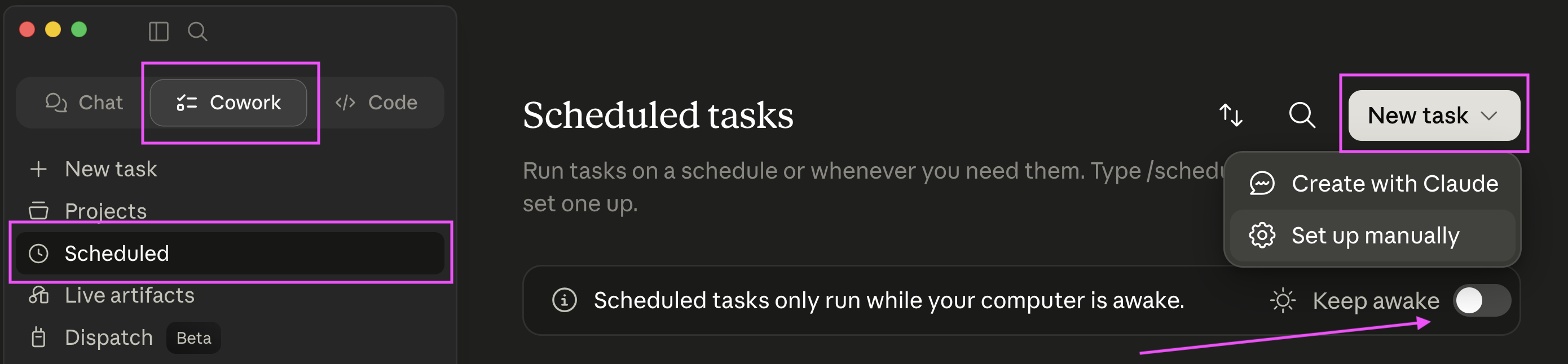
Claude Cowork’s scheduled tasks require your computer to be on or in “keep awake” mode.
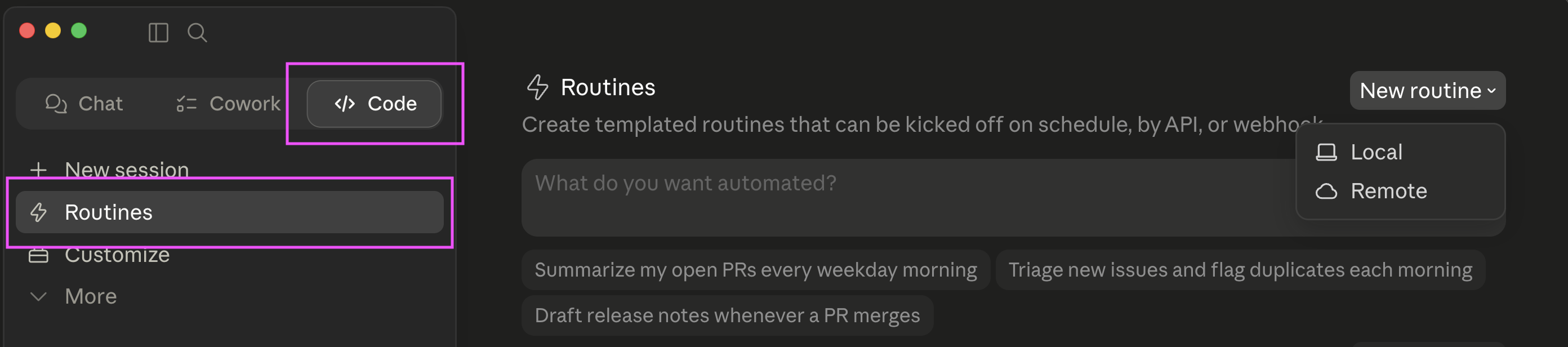
Claude Code routines run on Anthropic’s cloud infrastructure and will fire even if your computer falls into the ocean. You can create them from the CLI in Claude Code with /schedule.
If you are interested in creating a similar daily briefing for yourself, here is my repo which you can use as a starting point.