Go get yourself a personal agent
I think you should build a personal agent.
Out of all the fun and wild stuff I’ve explored this past year personal agents are the most useful, the most interesting and now the foundation I layer new projects on top of.
Having access to an always on, super helpful assistant, accessible from my computer, phone, wherever, has changed how I use the internet.
Using Claude Channels to set up a personal agent
Claude Channels let you wire a Claude Code session to a messaging channel (Discord is what I use) so you can reach an agent in the Claude Code session from wherever you are instead of being solely at your computer or SSHing in.
Openclaw was my first experience with an always on agent that learns and recalls my preferences and projects. I touched on my experience (and frustration) with Openclaw in my writeup on building a personal context MCP.
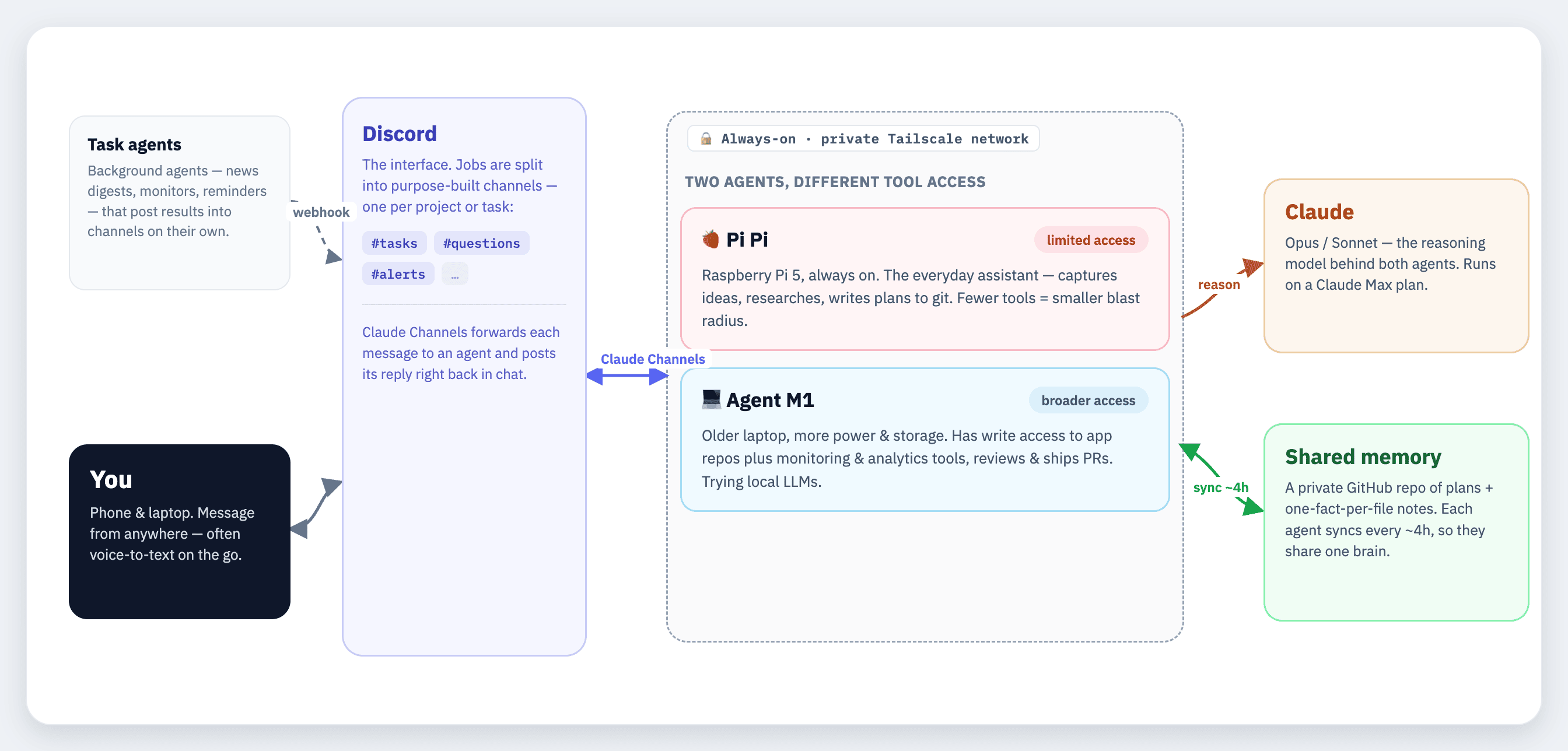
With Claude Channels, you can have your agent inside the Claude Code session live somewhere always-on (my first agent, “Pi Pi”, runs on the same Raspberry Pi 5 I first used with Openclaw), so you can reach it at any time.
The Claude Channels plugin works by having the agent in the Claude Code session listen to messaging channels API for new messages (i.e. a DM on Discord, or a post into a channel the agent is present), the plugin forwards the message to the always on agent session, your agent crafts a reply and responds right within the messenger chat.
Using this setup, “Pi Pi” is always available and ready to rock.
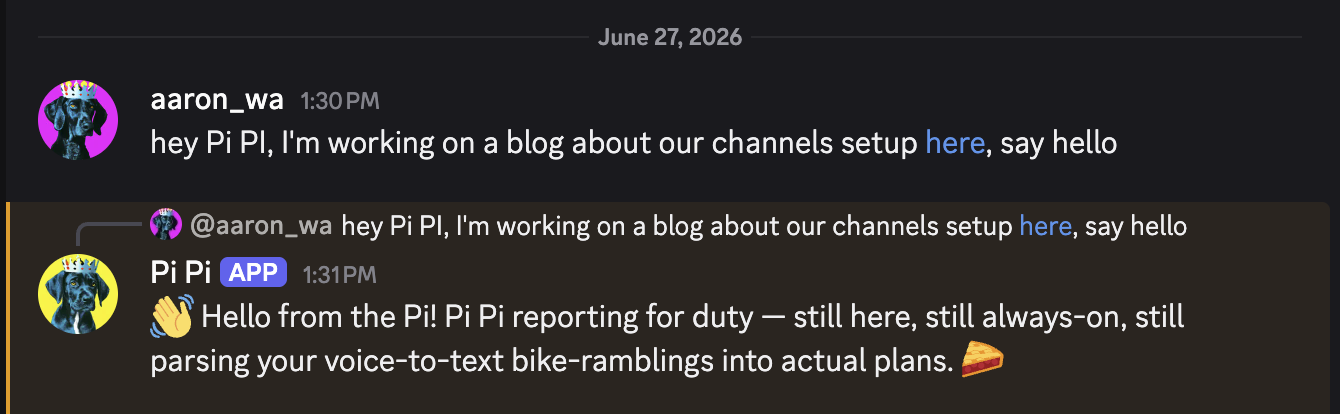
The First Agent
Pi Pi nails the personal assistant use case I was hoping for. Every time I have a thought, idea, question or task, whether on the go or at home, I can send it to Pi Pi for helping out with.
I primarily use voice to text when I’m on my phone messaging with the agent, and I’ve found you don’t need to be precious in being super accurate in what to hit send on, as long as you are using Opus or Sonnet as the underlying model, the agent can parse what you are trying to say.
I have some of my most interesting ideas while biking and walking the dog, so my phone is a very convenient place to dump those thoughts before they disappear.
The single most useful workflow I’ve found thus far is using Pi Pi to create plans against whatever random idea I have at the time.
The agent doesn’t just start building, it does the research, writes the plan in markdown that gets dumped into a plans folder and then committed to git. Then I usually pick it up from my laptop like a proper millennial and execute when I’m ready.
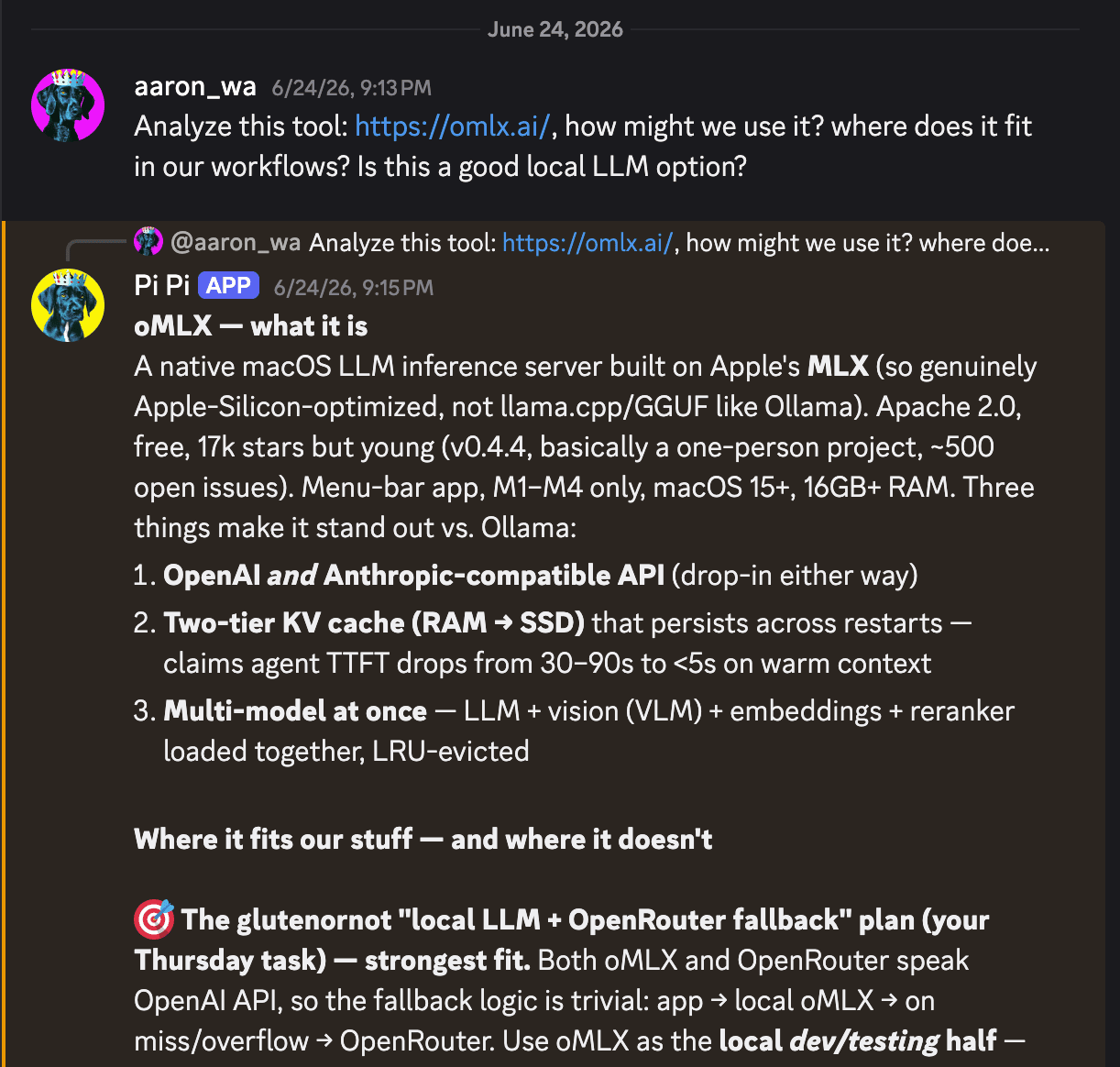
Prior to having this agent available, I would email these ideas to myself, scribble them on pieces of paper or dump them into Notion, often to be forgotten and never revisited again.
With this personal agent at the ready, a lot more of my silly ideas are turning into plans of way higher fidelity and I’m able to actually take them on, delegate them to the agent to handle or just archive/throw them away.
Using Discord Channels to segment out jobs
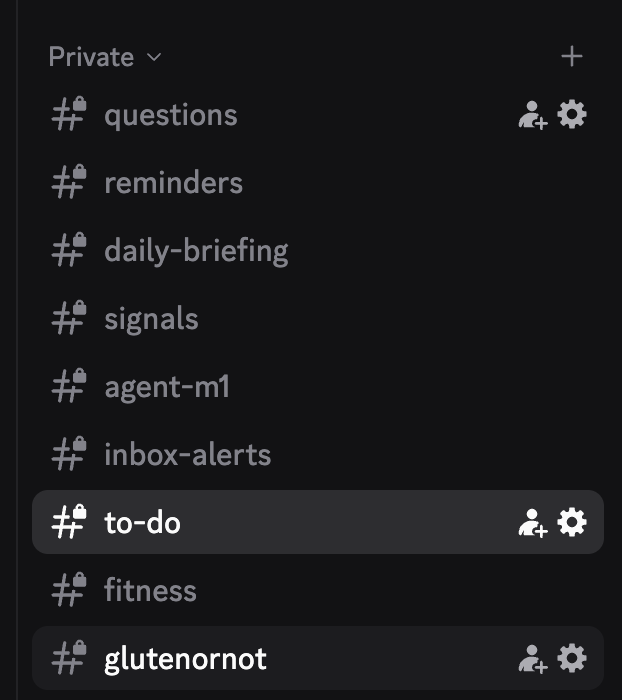
I use the channels function in Discord to segment out the jobs I want done. I started at first with just a #general channel and asking questions. I layered channels on one at a time, and mostly on a per-project basis. I strongly suggest starting small and just adding channels as needed.
Some of the channels I’ve added since I’ve started are:
- #questions - where I dump random questions
- #reminders - channel to schedule and receive reminders
- #daily-briefing - where my daily-briefing report shows up every day with the weather and latest articles from authors I follow
- #signals - for daily outputs from my twitter-watcher agent
- #inbox-alerts - where an agent flags emails based on evaluation criteria we’ve established
- #to-do - to assign agent tasks
- #fitness - analysis on Zwift races from Strava URLs using the Strava MCP
- #glutenornot - uptime monitor alerts and sentry errors from GlutenOrNot
How this has changed how I use the internet
Information I’d like to know flows into my Discord vs me having to go out and wade through the internet to find it.
I used to check my email incessantly and absentmindedly. I still do sometimes but much less than before. With this channel setup, I’ve been able to layer task dedicated agents on top that have helped me chill out on this behavior.
The first breakthrough was setting up an inbox-watcher agent, that handles reviewing, cataloging and assigning priority to any email that’s forwarded to it.
I have a couple of my gmail inboxes that are now forwarded to this agent and I’m alerted in the #inbox-alerts channel if anything needs my attention.
Recently, the inbox-watcher agent noticed that the Rosalía concert at MSG I had tickets to got rescheduled and was able to flag this immediately as something I needed to take action on. This happened without me having to watch my email or chase being at inbox zero.

Another example of how info flows into my setup vs me having to chase it is my twitter-watcher project. The goal for this project was I wanted the information from twitter without having to actually spend time on twitter.
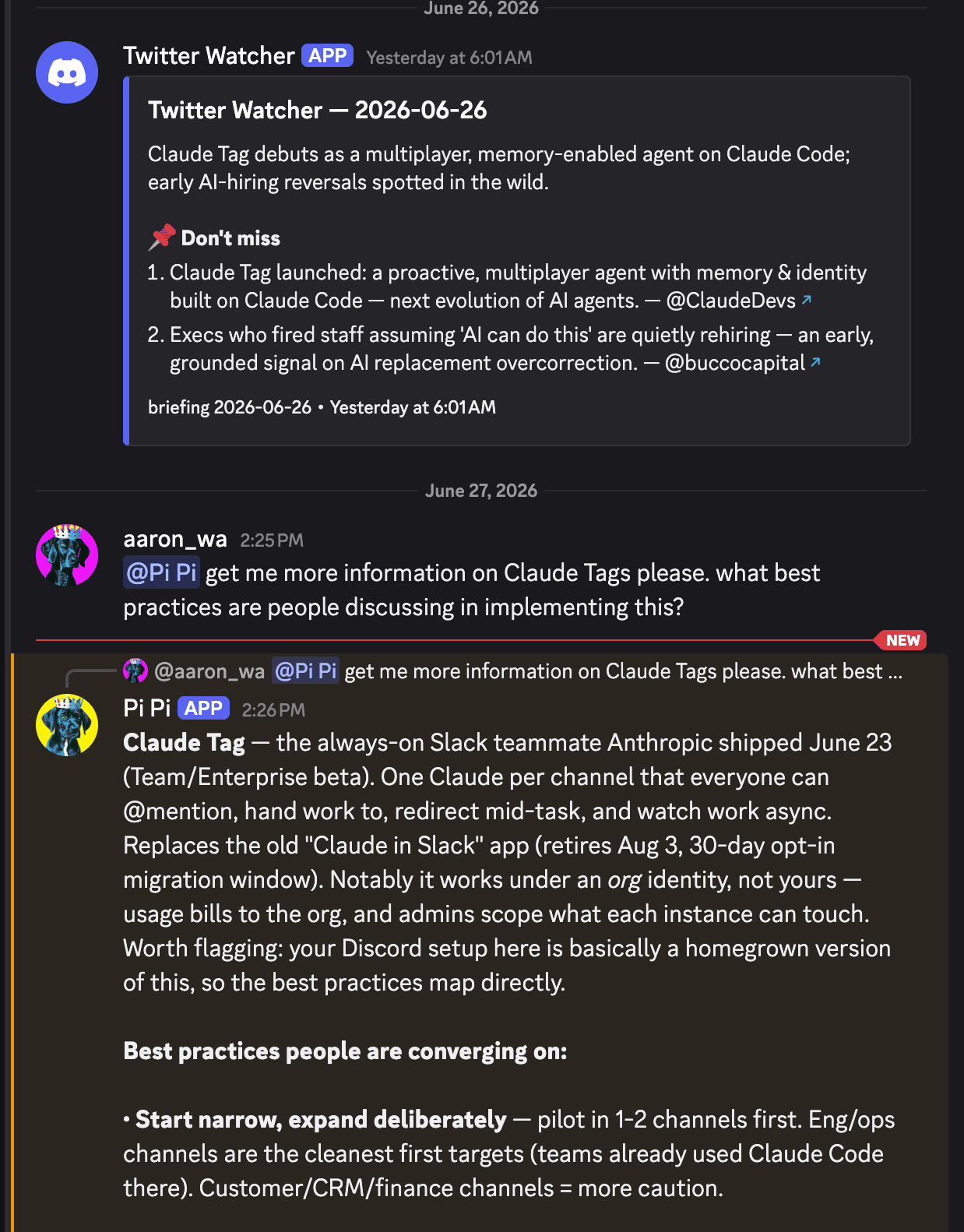
The twitter-watcher agent checks on topics and accounts I want it to follow, determines if discussion is worth reading, and posts a short summary each weekday into a #signals channel.
Building on top of the channels foundation above, you can have your personal agent(s) present in the same channels these external agents are posting via webhook and then you can task your personal agent to go get more info or expand on a topic.
I tasked Pi Pi to go get me more information on how people are using the new Claude Tag tool and to bring it back to the channel to complement the info from the #signals post, without me ever having to login or use twitter.
How to set up Claude Channels
You can set up Claude Channels on any always-on machine. You could set it up on a machine that’s not always on but that would defeat the purpose (the agent would disappear when the machine turns off).
I went with a Raspberry Pi at first because they are relatively cheap and consume low power. If you have an old laptop, just start with that.
I first tried to set up the Claude Code session on the Raspberry Pi as a systemd service, with auto-restart and start-on-boot. This broke multiple times in the first few hours, so with a bit of guidance from Opus, I swapped to have the agent run inside a tmux session, wrapped in a while true loop so that if it ever crashes, or I /exit the session, the agent just respawns itself.
I had first heard of tmux from reading about Steve Yegge’s crazy gastown experiment, so when the agent I was debugging the first setup with suggested tmux, I figured this was as good a time as any to give it a shot.
Learn from my mistakes. Just go with tmux.
I enabled user lingering (loginctl enable-linger <username>) on the Raspberry Pi so the tmux session would survive when I disconnected the SSH connection (otherwise the session would have closed when I disconnected).
I also highly recommend checking out Tailscale to establish a secure connection between your computer and Raspberry Pi. Tailscale is badass. You use it to set up a tailnet, which they describe as a “secure conference room” inaccessible from the public internet, that only invited participants can enter. It has made SSHing into the Pi and now other connected devices super easy.
Discord is one of the supported Claude Channels so you connect it as an MCP plugin by running:
claude --channels plugin:discord@claude-plugins-officialYou can also find it by using the “Discover” tab with /plugins.
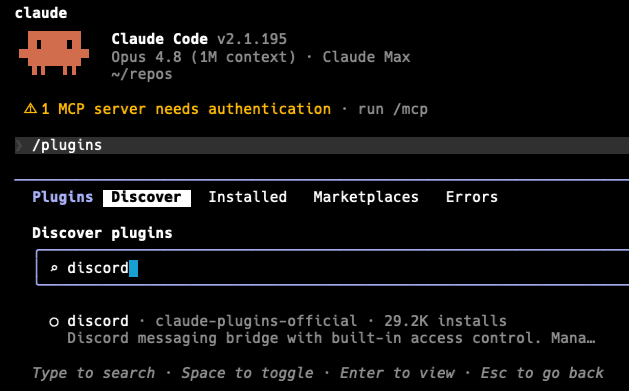
You can give your agent tools, skills, MCPs the same way you would any standard Claude Code session. You can do this by SSHing into the device your agent lives on, opening up the tmux session and using Claude Code as you typically would to connect in tools, skills, etc.
Both my agents have access to my github account so they can read across all my repos and understand the various projects I have in flight.
Going from one agent to two
In the past few weeks, I’ve added a second agent (“Agent M1”) into the mix who lives on an older laptop.
The laptop gives this new agent more power for running research tasks, has much greater storage on device and now I can start to experiment with outsourcing some of my tasks to local LLMs. The single Pi is still going strong, I just wanted to tinker and happened to have this machine handy.
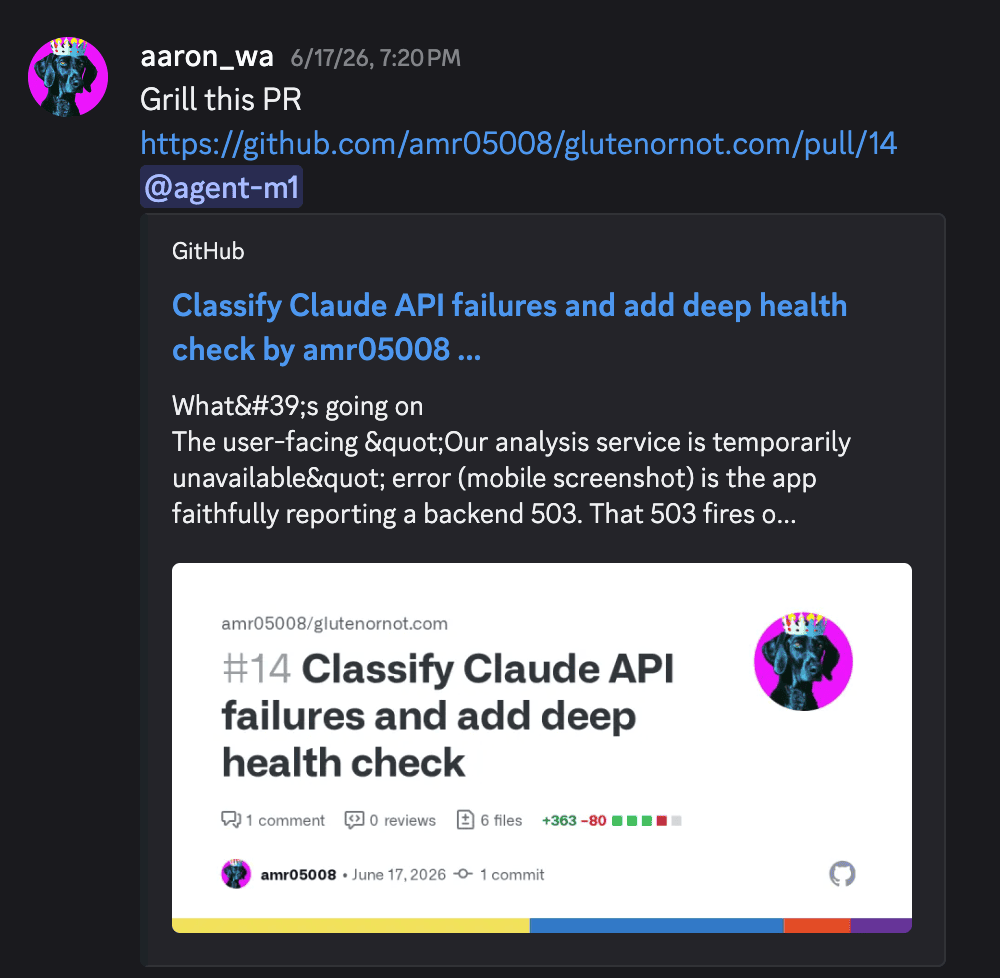
I’ve also granted Agent M1 more responsibilities and tool access than I was willing to give to the Raspberry Pi. Agent M1 has write and read access to my GlutenOrNot app and has MCP access to Sentry and Posthog so it can detect/investigate issues and review/submit PRs to fix things with guardrails on what it can act on autonomously.
This image below is Agent M1 reviewing a PR created by Pi Pi for debugging API failures on my app.
With now two agents working together at times, I’ve added in a shared memory layer in github so if one agent learns something, the other picks it up. It works by having each agent sync its memory back to github every ~4 hours, and then having both agents read across the same shared memory.
With the two agent setup, all sorts of fun outcomes are possible.
During one recent session away from my computer, Agent M1 helped me debug why GlutenOrNot was not showing up in the EU (turns out I didn’t sign the right forms), while Pi Pi concurrently helped me figure out finance questions, all from my phone.
Here’s how my set up works at the moment:
Some learnings
Give your agent a real memory, not just a session.
Work with your agent to figure out the right memory system setup.
Less is more in terms of making it useful context. Everything in memory loads into context every session, so if it grows too big the agent will miss the important stuff in the noise.
Our memory setup only loads critical rules or facts about active projects every session, while everything else can be called only when needed or archived so it doesn’t cause confusion.
Now that there are two agents, they sync their memory back and forth every 4 hours, so they share one brain (ish).
Take security seriously.
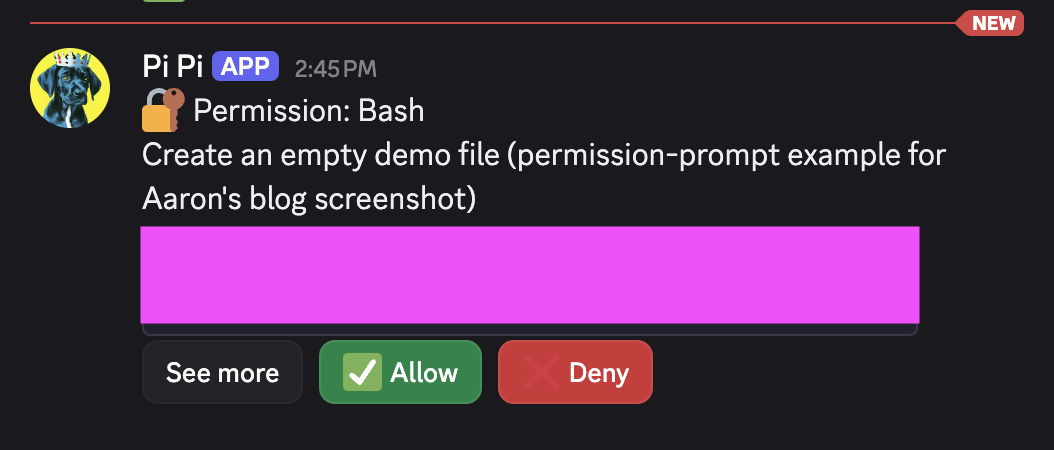
My Claude Channel agents have way less tool access than what my desktop Claude Code sessions can access. The more tools, skills, MCPs you connect in and allow list permissions you grant, the bigger the blast radius of a security failure can become.
Considering the fact that my agents see untrusted inputs (i.e. random emails, sentry errors), it’s important to make sure they don’t take action on instructions embedded in that content, nor approve new access requests from anywhere outside of direct instruction from me.
I’ve tried to be very intentional about what I allow each agent to access and recommend hardware keys for securing any of your important accounts.
I highly recommend working with your agent after the first week or two to audit all of the allow list permissions your agent has, and what channels your agent has access to on Discord.
As I became more comfortable and felt I had minimized the blast radius for any oopsies, I granted the agent more permissions (otherwise it was constantly DMing me to ask permission for things I was comfortable letting the agent undertake on its own, i.e. reading a repo).
Lastly, you will need to tinker if you go down this path.
This is not like openclaw where I found myself constantly having to repair things or troubleshoot why an agent won’t respond, but it’s also not zero overhead. Expect to have to check on things once every few weeks once you’ve got it all set up and running to your liking.
If your agent stops replying on Discord, it’s probably silently failing and you need to login to the tmux session and restart Claude or log back in because authentication dropped.
Over the past 3 months, I think in total I’ve needed to restart the Claude Code session on the PI twice, and I usually have to clear the 1 million token Opus 4.8 context window once per week (I just SSH in, open Claude Code in the tmux session, type /clear and we’re good to go).
In terms of cost, the channels setup works fine within the limits of a Claude Max plan (I’m on the $100, not the $200). The additional projects I’ve layered on top (i.e. twitter-watcher) all use API keys and have variable costs depending on the project.
What’s next
Personal agents are here to stay. This is a better way (to me) of using the internet and I don’t want to go back.
I want to decrease my reliance on Claude models alone so I plan to tinker with OpenRouter so if Claude goes down, the agents can stay online.
Additionally, I want to experiment with using local models for handling private information like financials and emails vs. relying so heavily on the frontier model providers in the cloud.
If you are experimenting with personal agents and want to compare notes and learnings, please reach out.